Introduction
You type a quick prompt. Thirty seconds later, boom—you have a working app. A clean login page, a slick dashboard, maybe even a Stripe checkout flow, all spinning up before your coffee even cools down. It feels like absolute magic. For a second, you genuinely believe you just bypassed years of tedious software engineering.
Then you ask for one tiny tweak.
Suddenly, the AI touches some random config file you didn’t even know existed, and the whole thing goes sideways. You copy-paste the error back in. It drops a “fix.” But that fix accidentally nukes your database connection. Three hours later, you are staring blankly at a bloated codebase you don’t actually comprehend, built entirely by an LLM that already forgot what it did twenty minutes ago.
Welcome to vibe coding hell.
If you have spent any real time playing with modern AI coding assistants, you have probably ended up here. It is that painful, grinding disconnect between the euphoric first hour of pure prompting and the absolute nightmare that slaps you in the face the second real-world complexity enters the chat.
Let’s talk about what vibe coding actually means, why it feels so addictive early on, how it resurrects an old engineering trap, and how to actually dig yourself out of the mess.
What Is Vibe Coding? The High Before the Hell
Stripped of the hype, “vibe coding” just means you let an AI model handle the actual syntax while you steer the ship using normal human language. You aren’t agonizing over memory management, data structures, or type safety. You are just demanding outcomes: “give me a habit tracker,” “add a dark mode toggle,” “make the sidebar slide out on mobile.”
The term isn’t just a random meme; it has a specific origin story. Back in February 2025, Andrej Karpathy—one of OpenAI’s co-founders and the former head of AI at Tesla—tweeted about this exact shift in how he was writing software. He described completely surrendering to the tool, blindly accepting code suggestions without even reading the git diffs, and letting codebases balloon way past what he could mentally track. He even admitted to just throwing raw error logs back at the model, hoping it would sort out its own mess.
Now, Karpathy wasn’t pitching this as a golden standard for enterprise software. He explicitly framed it as a fun hack for throwaway weekend projects—quick, low-stakes experiments where you care about raw speed, not long-term durability.
But the internet did what the internet does. Within weeks, “vibe coding” became the blanket term for all AI development, whether it was a hobbyist building their first landing page or a startup founder shipping unvetted code straight to production.
It is incredibly easy to see why people fell in love with it:
- Instant dopamine. You see a functional UI layout in two minutes instead of two days.
- No boilerplate tax. You don’t have to waste time setting up folder structures, dependencies, or repetitive config files.
- The ultimate shortcut. Anyone with a good idea can build a prototype without spending six months learning JavaScript.
- Pure flow state. You get to act like a product manager, focusing entirely on the “what” instead of getting bogged down in the tedious “how.”
For a quick mock-up or a simple pitch deck, this workflow is amazing. The wheels only fall off when you mistake that blazing-fast first hour for the actual timeline of a real software project.
Entering the Trap: How the Hell Begins
Vibe coding hell hits the moment that early momentum slams face-first into a wall of architectural logic that the AI cannot reason through—and you can’t either, because you never actually understood the foundation it built for you.
It never happens with a loud crash. It’s a slow, creepy crawl.
You keep prompting for just one more edge-case fix or a minor feature update. Every change seems to work on the surface, but underneath, the accumulated quick-fixes start fighting each other. Functions get duplicated across files. Component state gets managed in three completely different ways simultaneously. Eventually, nobody—not you, and certainly not the LLM—has a coherent mental model of how data actually flows through the app.
The New Tutorial Hell
If you ask veteran developers on Reddit or X about this, they will immediately point out that vibe coding hell is just a shiny, automated version of “tutorial hell.”
For years, tutorial hell was the classic amateur developer trap: you would watch endless coding bootcamps, copy the instructor step-by-step, and feel incredibly productive. But the second the video stopped and you faced a blank text editor, you froze. You knew how to mimic, but you didn’t know how to architect.
Vibe coding is the exact same trap, just wrapped in a faster interface. Instead of needing a YouTube video playing in the background, you now cannot write a line of code without an LLM autocomplete spoon-feeding it to you. The crutch just moved up a level.
The terrifying twist? Vibe coding hell is way more dangerous because it moves at warp speed. Tutorial hell was painfully slow, making it obvious when you were wasting time. Vibe coding, however, spits out things that look completely finished almost instantly. That illusion of completion tricks people into launching sloppy, fragile code to real users, or building massive features on top of a completely broken foundation.
Why the Prompt Loop Tricks Us
Every single prompt feels like a step forward. You are never stuck staring at a blinking cursor the way you were when learning to code from scratch. The AI always gives you something to run, creating a false sense of constant progress.
But this highlights the ultimate limitation of LLMs. They are brilliant at generating highly plausible code for a highly isolated prompt. They are incredibly bad at maintaining an overarching system architecture, understanding hyper-specific business logic, or realizing that a quick patch they just wrote completely breaks a structural decision made five prompts ago.
The Last 10% Nightmare
Talk to any developer who tried to launch a complex project purely on “vibes,” and they will all tell you the exact same horror story: the first 90% of the app took an afternoon, and the final 10% took three painful weeks.
This isn’t just bad luck. It is a mathematical certainty based on how generative AI models handle code.
Traditional Coding
0% ──────────────────────────────> 100%
Progress is steady, predictable, and continuous.
Vibe Coding
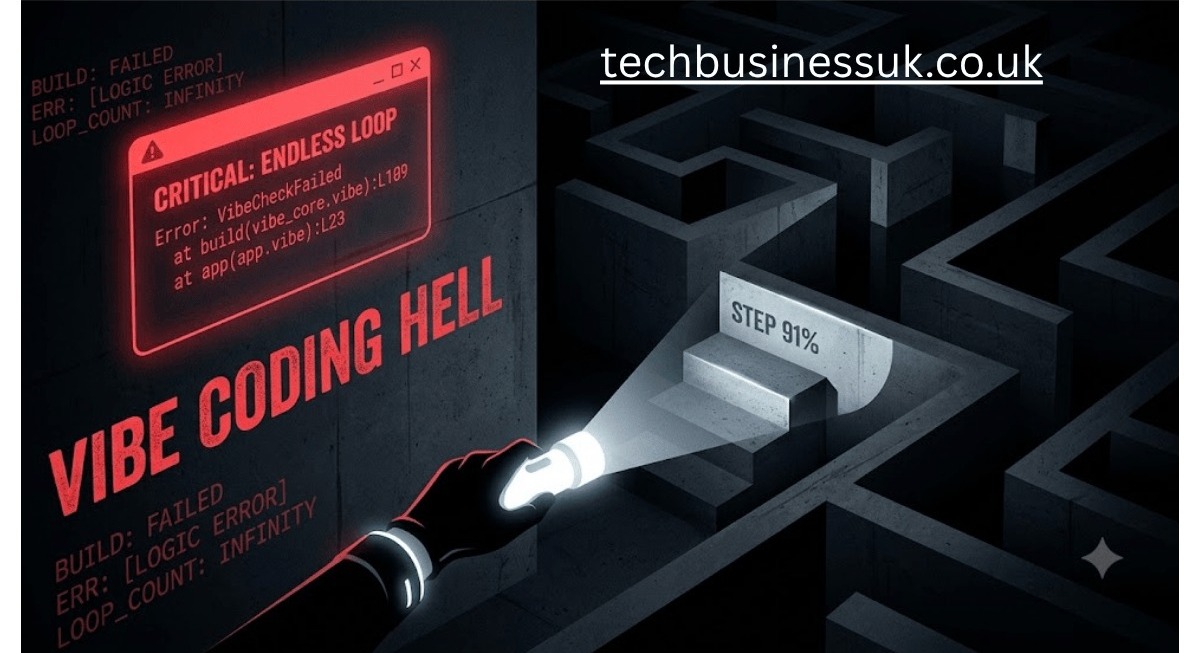
0% ═════════════════════════> 90% [ 91% ↻ Endless Bug Loop ]
Why the Final Stretch Breaks Everything
Early on, your project is a blank slate. The AI has total freedom to write whatever it wants because there is no existing code to conflict with. But as you add real-world requirements—user authentication, strict data validation, custom APIs, handling weird edge cases—the model has to force new code to play nice with its old code.
This is where you hit a massive wall of architectural debt.
Ordinary technical debt means your code is messy but deliberate. Architectural debt means your software was built on structural choices that nobody ever actually made. Nobody sat down and modeled the database schema. Nobody decided how data should propagate through the front-end. The AI just picked a random solution that satisfied the immediate prompt, and then picked a totally different, conflicting solution for the next prompt.
When a vibe-coded app hits this threshold, it predictably falls apart in a few specific ways:
- Copy-pasted logic. The exact same helper function or validation rule gets rewritten in four different files with slight variations, simply because the AI forgot it already wrote it.
- Whack-a-mole bugs. You prompt the AI to fix a bug in the UI. It patches the symptom, which immediately triggers a silent failure in your backend API.
- Context drift. As your files multiply, the codebase grows too large for the LLM’s active memory window. It starts making suggestions that completely ignore the core libraries you chose at the start of the project.
The Demoralizing Feedback Loop
The absolute worst part of this trap is the endless terminal loop. You paste an error log, get a quick patch, run the server, hit a brand-new error, and paste that right back in.
Because you are constantly clicking buttons and running commands, it feels like you are working hard. But without a deep, human understanding of the underlying system, you aren’t actually solving the problem. You are just randomly swinging a flashlight around a dark maze, praying you stumble onto the exit.
How to Escape Vibe Coding Hell
The good news? Landing in vibe coding hell isn’t a permanent life sentence. It’s usually just a glaring sign that your workflow completely lacks structure, not an excuse to delete your editor and swear off AI forever.
Here is how experienced engineers—and a rapidly growing club of recovering vibe coders—actually climb back out of the hole.
1. Read the Actual Documentation
This sounds almost insultingly basic, which is exactly why everyone skips it. AI models routinely spit out code that utilizes libraries, frameworks, or obscure patterns in ways that technically “work” on paper, but are fragile, outdated, or completely un-idiomatic.
Spend just one hour reading the official documentation for your core tech stack. The moment you understand how a dependency is supposed to behave, you will instantly start recognizing when the AI is giving you a clever architectural solution versus a fragile hack held together by digital duct tape.
2. Commit to Git Relentlessly
One of the fastest ways to kill the chaos of vibe coding is introducing strict version control discipline. Do not wait until the end of a long evening to commit your progress. Commit after every single micro-change that actually works.
If a reckless prompt completely detonates your application, you want to be exactly one git revert away from safety. You do not want to be stuck trying to untangle three hours of completely undocumented, AI-generated chaos.
- Ship micro-increments. If a feature works, lock it in immediately.
- Describe intent. Stop writing “fix” or “tweak” as your commit message. Explain why the change happened.
- Abuse branches. Use sandbox branches for experimental prompts so your main branch stays entirely production-ready.
3. Prompt With Architecture, Not Just Feature Requests
Stop asking for features one piece at a time like you’re ordering fast food. Instead, give the LLM strict guardrails and constraints right out of the gate.
Explicitly define your folder layouts, your naming conventions, your preferred state management libraries, and your database schemas before it writes code. Treat the AI like a junior contractor who desperately needs a clear blueprint, not a magical genie who interprets your vague wishes. The clearer your structural boundaries, the less the model has to guess—and the fewer conflicting decisions will pile up.
4. Audit AI Code Like a Brutal Peer Review
This is the single habit that separates developers who escape the trap from those who stay permanently stuck.
Stop blindly clicking “Accept.” Read the code diff line by line. Force yourself to answer exactly why a specific change was made. If you see a block of generated syntax that you don’t fully comprehend, treat that as a massive red flag. Stop prompting, open a browser tab, and figure out what that code does before moving forward. Code reviews aren’t optional just because a machine wrote the draft.
5. Map Out a Mental Model First
Before you type your very first prompt, sketch your data flows and core component maps out on a piece of paper or a digital whiteboard.
Having a rough, tangible diagram gives you a hard anchor point the second the AI starts drifting into weird logic. Without this blueprint, you are completely blind; you have zero ability to judge whether a generated suggestion actually fits your ecosystem or is quietly undermining its foundations.
6. Debug With Your Own Brain First
The second an error pops up in your terminal, resist the absolute urge to blindly copy-paste it back into the LLM chat window.
Stop. Take a breath. Read the actual stack trace yourself. Pinpoint the exact file and the exact line number it is screaming about. This basic habit rewires the engineering muscles that heavy vibe coding completely erodes. It ensures that when you do use an AI to patch something, you actually know whether it fixed the root cause or just slapped a band-aid over a deeper symptom.
7. Treat Generated Code as a First Draft
The engineers who extract the absolute most value out of modern AI tools treat generated code exactly the way a professional novelist treats a rough first draft.
It is an incredibly fast starting point designed to be hacked apart, refactored, heavily edited, and deeply understood—not a pristine, finished piece of art to be shipped straight to production untouched. That mental shift alone neutralizes the vast majority of the hidden architectural debt that causes projects to implode.
Conclusion
At the end of the day, vibe coding hell isn’t really a tool problem. It’s a human problem that happens when we let raw speed completely replace genuine comprehension for too many sessions in a row.
The instant gratification that makes prompting so incredibly fun is a massive asset for rough prototypes, weekend experiments, and throwaway proof-of-concepts. But the absolute second you start building software that is meant to scale, survive, and serve real users, that exact same speed will quietly bury you under a mountain of decisions that nobody actually made on purpose.
The solution isn’t to boycott AI coding tools and go back to the stone age. The solution is to make sure you remain the engineer in the room, not just the person typing into the prompt box. Read the docs, commit your code constantly, question every single diff, and never stop building your own personal understanding of software architecture alongside whatever the machine generates.
The developers who win the vibe coding era long-term are the exact same ones who never stopped learning how to code for real.
So the next time you feel that intoxicating rush of an entire application coming together in a matter of minutes, take a second to look at the screen and ask yourself: Do I actually understand a single thing that was just built? If the honest answer is no, take it as your cue to slow down—well before vibe coding hell catches up with you.
What has your experience been like? If you have managed to climb out of an AI-generated ditch before, it is probably a great idea to write down the exact habits that saved your sanity so you don’t fall back in on the next build.
Read this to: Beth Shuey Payton: Biography, Net Worth, and Life After Her Divorce From Sean Payton
FAQs
1. What separates the “vibe coding” trap from the old “tutorial hell”?
The original version of this trap left you dependent on video instruction walkthroughs. The modern variation hooks you on generative text streams instead. You might feel highly capable while feeding instructions to a prompt window, but you feel completely stuck the moment you have to inspect a broken network request or fix an environment issue without automated assistance.
2. Who originated the term “vibe coding”?
This whole concept took off in early 2025 when OpenAI co-founder Andrej Karpathy posted about a wild new workflow. He admitted he was working at total maximum velocity, just accepting AI code drops without auditing them first. By doing that, he ended up growing an entire codebase that was way too big for him to mentally track.
3. Should people who are brand new to tech use this approach?
It serves as an excellent sandbox to show you what is possible, but it won’t help you build deep programming logic. Leaning on it entirely means you risk developing a superficial skillset: you learn to operate an interface efficiently without actually knowing how to solve engineering challenges from first principles.
4. What is the best recovery strategy for an app stuck in this state?
Hit the brakes on new features immediately. Before writing another instruction, manually review every script file to reconstruct a clear mental model of how your application actually passes data. Save your stable progress to a new branch, and focus exclusively on cleaning up messy files rather than building on top of weak infrastructure.
5. Is there real professional utility in working this way?
Absolutely. Experienced engineers leverage generative tools constantly to automate repetitive boilerplate, generate placeholder components, or run rapid proof-of-concept tests. The issue lies entirely in shipping auto-generated blocks into a production environment without running audits or manually verifying the logic.
6. Why does the final stretch of the project feel like a brick wall?
When your project folder is empty, the language model has total freedom because there are zero dependencies to break. The real headache starts when you actually have to handle data persistence or external integrations. Every new feature you add has to align perfectly with previous code decisions. If it doesn’t, the invisible architectural mess you ignored will slap you right in the face.
7. Are veteran engineers safe from falling into this trap?
Not at all. High-level developers are just as susceptible when facing tight release schedules or feeling burned out. While deep architectural knowledge gives you a better radar for messy code, it doesn’t make you completely immune to the quick satisfaction of letting a machine write your scripts.
About the Author


1 thought on “Vibe Coding Hell: How Lazy Prompting Ruins Software Architecture”