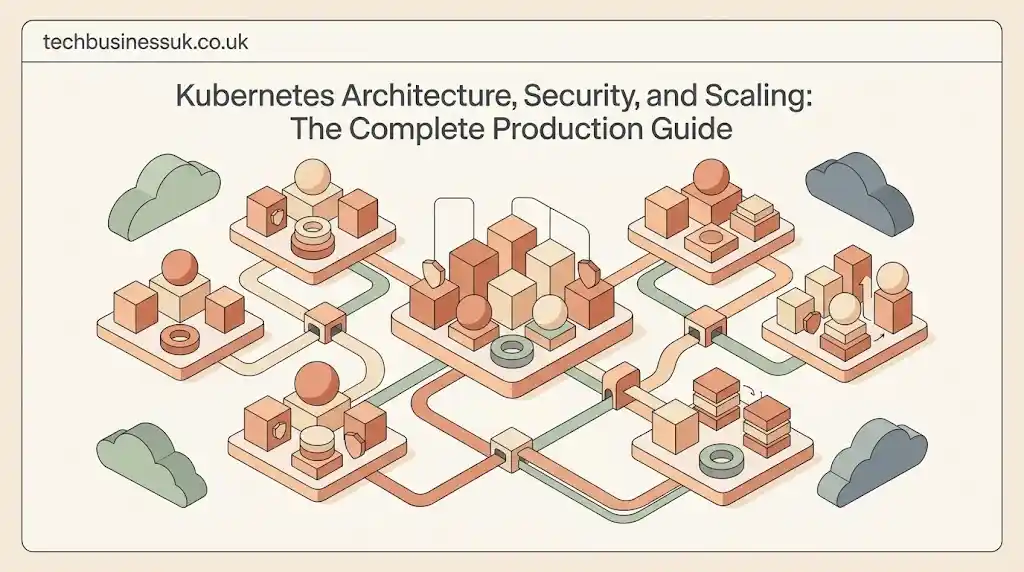
Modern infrastructure revolves around decoupled services, rapid release cycles, and elastic compute pools. Kubernetes sits at the center of this paradigm shift. Originally designed by Google based on internal experiences with its Borg cluster management system, Kubernetes was open-sourced in 2014 and donated to the Cloud Native Computing Foundation (CNCF). Today, it stands as the industry-standard platform for automating containerized software operations across public, private, and hybrid cloud environments.
Section 1: Introduction — What is Kubernetes & Why kubernetes Orchestration Matters
Understanding what is kubernetes requires examining how application deployment models evolved. In bare-metal architectures, single operating systems hosted multiple applications, causing resource starvation and dependency conflicts. Hardware virtualization introduced Virtual Machines (VMs), providing strong isolation boundaries. However, VMs carry substantial overhead because each guest OS duplicates system calls, kernel structures, and virtual devices.
+-------------------------------------------------------------------------+
|                         EVOLUTION OF DEPLOYMENTS                        |
|                                                                         |
|  [ Bare Metal ]          [ Virtual Machines ]         [ Containers ]    |
|  +-------------+         +------------------+         +---------------+ |
|  | App A | AppB|         | App A  |  App B  |         | App A | App B | |
|  +-------------+         +--------+---------+         +---------------+ |
|  |     OS      |         | GuestOS| GuestOS |         | App Engine    | |
|  +-------------+         +--------+---------+         +---------------+ |
|  | Hardware    |         |    Hypervisor    |         | Host OS Kernel| |
|  +-------------+         +------------------+         +---------------+ |
|                          | Host OS / HW     |         | Hardware      | |
|                          +------------------+         +---------------+ |
+-------------------------------------------------------------------------+
Containers solved this density challenge by sharing the host OS kernel while isolating execution using Linux namespaces and cgroups. Yet running containers in production introduces new systemic challenges. A containerized system containing hundreds of microservices requires dynamic IP assignment, service discovery, rolling updates, health checks, automated rollbacks, and storage allocation.
This operational burden demands kubernetes orchestration. Kubernetes acts like an automated operating system for the cloud. Instead of imperatively running individual container instances, engineers declare desired system states using YAML or JSON definitions. The platform continuously compares actual cluster states against these declared targets, enforcing convergence through automated reconcile loops.
Key Takeaways
- Declarative Engine: You define the desired state; Kubernetes constantly reconciles current state to match it.
- Decoupled Architecture: The Control Plane (API, state, scheduler) strictly separates from Worker Nodes (executing container runtimes).
- Production Abstractions: Workload primitives like Deployments, StatefulSets, and DaemonSets handle stateless, stateful, and system-level applications natively.
- Container Agnostic: Kubernetes uses the Container Runtime Interface (CRI) to execute OCI-compliant runtimes like containerd, bypassing legacy dependencies.
- Built-in Security & Scaling: Fine-grained Role-Based Access Control (RBAC), NetworkPolicies, and horizontal/vertical autoscalers ensure enterprise-grade resilience.
Section 2: Architecture Deep Dive — How a Kubernetes Cluster Works
Understanding kubernetes architecture requires dissecting the distinct responsibilities split between the Control Plane and Data Plane across a kubernetes cluster.
+-----------------------------------------------------------------------------------+
|                            KUBERNETES CLUSTER ARCHITECTURE                        |
|                                                                                   |
|  CONTROL PLANE (Master Node)                                                      |
|  +-----------------------------------------------------------------------------+  |
|  |  +------------------+  +-------------------+  +--------------------------+  |  |
|  |  |  kube-apiserver  |  |   kube-scheduler  |  | kube-controller-manager  |  |  |
|  |  +--------+---------+  +---------+---------+  +------------+-------------+  |  |
|  |           |                      |                         |                |  |
|  |           +----------------------+-------------------------+                |  |
|  |           |                                                                 |  |
|  |  +--------v---------+                    +-------------------------------+  |  |
|  |  |       etcd       |                    |    cloud-controller-manager   |  |  |
|  |  +------------------+                    +-------------------------------+  |  |
|  +-----------------------------------------------------------------------------+  |
|                                     |                                             |
|                                     v (API Requests / State Sync)                 |
|  WORKER NODE(S)                                                                   |
|  +-----------------------------------------------------------------------------+  |
|  |  +------------------+  +-------------------+  +--------------------------+  |  |
|  |  |     kubelet      |  |    kube-proxy     |  |    Container Runtime     |  |  |
|  |  |  (Node Agent)    |  |  (IPtables/eBPF)  |  |  (containerd / CRI-O)    |  |  |
|  |  +------------------+  +-------------------+  +--------------------------+  |  |
|  |                                                                             |  |
|  |  +-----------------------------------------------------------------------+  |  |
|  |  | Pod (Container A | Container B | Shared Network Context | Volume)     |  |  |
|  |  +-----------------------------------------------------------------------+  |  |
|  +-----------------------------------------------------------------------------+  |
+-----------------------------------------------------------------------------------+
2.1 The Control Plane (Master Node)
The Control Plane makes global cluster decisions, detects hardware failures, and schedules workloads.
kube-apiserver: The front door to the cluster. This REST API gateway processes, validates, and configures data for API objects (Pods, Services, StatefulSets). Every operational command fromkubectl, external CI/CD pipelines, or worker node agents flows directly through this server.etcd: A strong, consistent, distributed key-value store holding the complete state of the cluster. Every operational event, configuration map, and secrets object persists withinetcd. You can explore quorum mechanics, snapshot recovery, and distributed consensus directly in the official etcd documentation.kube-scheduler: The decision engine for workload placement. When an unassigned Pod appears, the scheduler evaluates resource requests, node affinity/anti-affinity, taints, tolerations, and data locality to select an optimal worker node.kube-controller-manager: A background daemon running core control loops. Controllers continuously monitor cluster state via thekube-apiserverwatch mechanism. When differences occur between actual and desired state, controllers execute actions to drive convergence. Key controllers include the Deployment Controller, Node Controller, and EndpointSlice Controller.cloud-controller-manager: Isolates cloud-specific control loops from core Kubernetes logic. It interfaces directly with cloud vendor APIs (AWS, GCP, Azure) to provision load balancers, assign network routes, and attach cloud block storage volumes.
2.2 Worker Nodes & Data Plane
Worker nodes maintain running workloads and provide the runtime execution framework.
kubelet: An agent running on every worker node in the cluster. It receives PodSpecs from thekube-apiserverand ensures that containers described in those specs are created, healthy, and running.kube-proxy: The network daemon executing service abstractions across nodes. It maintains network rules using systemiptablesor eBPF (Extended Berkeley Packet Filter) programs to forward TCP, UDP, and SCTP traffic. For complex, multi-tenant traffic routing or East-West microservice traffic management, organizations complement basic proxying with dedicated service mesh architecture.- Container Runtime: The underlying low-level container software executing OCI-compliant runtime specs via the Container Runtime Interface (CRI). Popular implementations include
containerdandCRI-O.
2.3 Key Workload Primitives
- Pod: The foundational building block in Kubernetes. A Pod encapsulates one or more co-located containers sharing storage resources, a single IP network namespace, and port space.
- Deployments: Ideal for stateless workloads. Deployments manage declarative updates for underlying
ReplicaSets, allowing seamless zero-downtime rolling upgrades and instant rollbacks. - StatefulSets: Designed for workloads requiring stable network identifiers, ordinal deployment indices, and dedicated persistent storage (e.g., PostgreSQL clusters, Kafka brokers).
- DaemonSets: Guarantees that a single copy of a specified Pod runs on all (or selected) worker nodes. Common use cases include node monitoring agents (
Prometheus Node Exporter) and log collection daemons (Fluentbit).
Section 3: Kubernetes vs. Docker — Clearing up the Industry Confusion
Navigating the container ecosystem often leads to confusion surrounding kubernetes vs docker and docker vs kubernetes. These technologies perform fundamentally different tasks within modern software delivery.
+---------------------------------------------------------------------+
|                      KUBERNETES VS DOCKER SCOPE                     |
|                                                                     |
|  DOCKER (Container Engine)       KUBERNETES (Orchestrator)          |
|  +-----------------------+       +-------------------------------+  |
|  | Build Images (Dockerfile)     | Multi-Node Cluster Scheduling |  |
|  | Package Software      |  ==>  | Automated Self-Healing        |  |
|  | Run Single Containers |       | Traffic Load Balancing        |  |
|  | Manage Local Volumes  |       | Declarative Scaling           |  |
|  +-----------------------+       +-------------------------------+  |
+---------------------------------------------------------------------+
3.1 Containerization vs. Container Orchestration
Docker provides containerization tools. It builds application code, packages software dependencies into portable Open Container Initiative (OCI) image layers, and executes isolated containers on a single host.
Kubernetes provides container orchestration. It operates across heterogenous node pools, coordinating container placement, storage provisioning, network routing, and health recovery across hundreds of hosts. You use Docker to package your app; you use Kubernetes to run it reliably at scale.
3.2 The Historical Shift & CRI (Container Runtime Interface)
Earlier versions of Kubernetes included a legacy adapter called Dockershim to translate Kubernetes API commands into Docker commands. Docker itself contained redundant abstractions unnecessary for cluster operations.
LEGACY ARCHITECTURE:
[Kubelet] ---> [Dockershim] ---> [Docker Engine] ---> [containerd] ---> [runc]

MODERN ARCHITECTURE (CRI):
[Kubelet] ---> [CRI Plugin] ---> [containerd / CRI-O] ---> [runc]
Kubernetes removed Dockershim in version 1.24. Today, kubelet directly talks to lightweight runtimes like containerd or CRI-O using the standard CRI protocol. Developers still construct container images locally using Docker CLI tools, but production clusters execute those images through native CRI runtime engines.
Section 4: Hands-On Tutorial — Building & Deploying Your First Application
This hands-on kubernetes tutorial steps through deploying an application to a functional cluster.
4.1 Local Cluster Setup Alternatives
To practice locally, choose an lightweight development tool:
- Minikube: Provisions a single-node or multi-node local cluster inside a lightweight VM or container environment. Excellent for broad testing.
- Kind (Kubernetes in Docker): Runs Kubernetes control plane nodes as Docker containers. Perfect for local integration testing and fast startup times.
- k3s: A lightweight, certified Kubernetes distribution built by Rancher/SUSE, optimized for edge, IoT, and developer workstations.
4.2 Step-by-Step Deployment Workflow
First, create a simple web server application manifest saved as app-deployment.yaml:
YAML
apiVersion: apps/v1
kind: Deployment
metadata:
  name: demo-web-app
  labels:
    app: demo-web
spec:
  replicas: 3
  selector:
    matchLabels:
      app: demo-web
  template:
    metadata:
      labels:
        app: demo-web
    spec:
      containers:
      - name: web-server
        image: nginx:1.25-alpine
        ports:
        - containerPort: 80
        resources:
          requests:
            cpu: "100m"
            memory: "128Mi"
          limits:
            cpu: "250m"
            memory: "256Mi"
To expose these application pods to network traffic, define a Service in app-service.yaml:
YAML
apiVersion: v1
kind: Service
metadata:
  name: demo-web-service
spec:
  type: NodePort
  selector:
    app: demo-web
  ports:
    - protocol: TCP
      port: 80
      targetPort: 80
      nodePort: 30080
Deploy the declarations to your local cluster. In automated production environments, these declarative steps integrate directly into a GitOps-based CI/CD pipeline architecture to ensure verified delivery:
Bash
# Apply configuration manifests declaratively
kubectl apply -f app-deployment.yaml
kubectl apply -f app-service.yaml

# Inspect running pods and endpoints
kubectl get pods -l app=demo-web
kubectl get svc demo-web-service
4.3 Configuration & Secrets Management
Hardcoding runtime configurations directly inside container images degrades operational security. Kubernetes solves this by decoupling configuration using ConfigMaps and Secrets.
Bash
# Create a ConfigMap for application properties
kubectl create configmap app-config --from-literal=ENVIRONMENT=production

# Create a Secret for sensitive credentials
kubectl create secret generic app-db-pass --from-literal=DB_PASSWORD=SuperSecretPass123!
These objects mount into running containers as environment variables or projected volume files without requiring image rebuilds.
Section 5: Package Management & Ecosystem Tooling — Mastering Helm
Managing raw YAML manifests for dozens of microservices across multiple environments quickly leads to duplicated code and drift. Kubernetes helm acts as the package manager for Kubernetes applications.
+--------------------------------------------------------------------+
|                         HELM CHART STRUCTURE                       |
|                                                                    |
|  my-app-chart/                                                     |
|  ├── Chart.yaml          # Chart metadata (version, description)   |
|  ├── values.yaml         # Default configuration values            |
|  ├── values-prod.yaml    # Production override values              |
|  └── templates/          # Parameterized Kubernetes manifests      |
|      ├── deployment.yaml # {{ .Values.image.repository }}          |
|      ├── service.yaml    # {{ .Values.service.port }}              |
|      └── _helpers.tpl    # Template helpers and macros             |
+--------------------------------------------------------------------+
5.1 What is Helm and Why Use It?
Helm simplifies complex application deployments by bundling Kubernetes resource templates into single version-controlled artifacts called Helm Charts. It supports parameterization, automated dependency resolution, release tracking, and atomic rollbacks.
5.2 Anatomy of a Helm Chart
A standard Helm chart follows a defined directory layout:
Chart.yaml: Contains metadata defining the chart name, API version, application version, and maintainers.values.yaml: Stores default configuration variables used to populate template files.templates/: Holds Go-templated Kubernetes manifest files parameterized by variables passed fromvalues.yaml.
5.3 Parameterization & CI/CD Delivery
Helm makes multi-environment configuration straightforward. You override baseline parameters for distinct target environments during deployment:
Bash
# Install or upgrade a chart release using environment-specific values
helm upgrade --install payment-service ./charts/payment-service \
  --namespace production \
  --values ./charts/payment-service/values-production.yaml \
  --set replicaCount=5
Section 6: Advanced Autoscaling & Performance Tuning
Dynamic application demand requires automated infrastructure scaling. Kubernetes handles scaling across both pod and node dimensions.
+---------------------------------------------------------------------+
|                      AUTOSCALING DYNAMICS IN K8S                    |
|                                                                     |
|  VERTICAL SCALING (VPA)              HORIZONTAL SCALING (HPA)       |
|  +--------------------+              +---------------------------+  |
|  | Adjust CPU/Memory  |              | Increase/Decrease Replica |  |
|  | Pod size dynamically|             | Counts (Pod A -> Pod B)   |  |
|  +---------+----------+              +-------------+-------------+  |
|            |                                       |                |
|            +-------------------+-------------------+                |
|                                |                                    |
|                                v                                    |
|                   NODE SCALING (Karpenter / CA)                     |
|                   +---------------------------+                     |
|                   | Provision/Terminate Nodes |                     |
|                   | based on unscheduled Pods |                     |
|                   +---------------------------+                     |
+---------------------------------------------------------------------+
6.1 Pod Autoscaling Mechanisms
- Horizontal Pod Autoscaler (HPA): Adjusts the replica count of a Deployment or StatefulSet based on observed CPU utilization, memory consumption, or custom Prometheus metrics. Modern event-driven workloads utilize HPA combined with scaled object definitions to achieve scale-to-zero operational states.
- Vertical Pod Autoscaler (VPA): Dynamically calculates and adjusts container CPU and memory requests based on historical usage patterns. VPA ensures optimal resource sizing, preventing resource starvation while eliminating over-provisioned compute waste.
6.2 Cluster Node Scaling
When HPA requests additional Pod replicas and existing nodes run out of capacity, Pods enter a Pending state.
- Cluster Autoscaler: Monitors pending pods, requests cloud provider APIs to add compute nodes to node groups, and drains underutilized nodes.
- Karpenter: A modern, high-performance node provisioner. Unlike traditional auto-scaling groups, Karpenter bypasses cloud provider abstraction layers, evaluating unscheduled pod constraints directly to launch precisely sized EC2/Compute instances in seconds.
Section 7: Kubernetes Security News & Vulnerability Defense (CVE Management)
Securing cloud-native infrastructure requires continuous defense across the cluster lifecycle. Staying informed on kubernetes security news and kubernetes security news today ensures teams protect their infrastructure against emerging vector exploits.
+-----------------------------------------------------------------------+
|                    KUBERNETES DEFENSE-IN-DEPTH LAYER                  |
|                                                                       |
|  [ Perimeter Security ]    -> API Gateway, RBAC, OAuth2               |
|  [ Control Plane Hardening ]-> Admission Controllers (OPA/Kyverno)    |
|  [ Network Isolation ]     -> Strict NetworkPolicies (Default Deny)   |
|  [ Workload Hardening ]    -> Pod Security Admission (Restricted)     |
|  [ Container Security ]    -> Immutable FS, Non-Root Users, CVE Scans |
+-----------------------------------------------------------------------+
7.1 Security Landscape & Threat Vectors
Containerized environments face distinct attack vectors, including container escapes, unauthorized API interactions, unpatched host vulnerabilities, and privilege escalation via exposed tokens. Tracking kubernetes vulnerability news and kubernetes cve news highlights the necessity of continuous runtime monitoring and vulnerability mitigation.
Recent high-severity security disclosures underscore these risks:
- CVE-2025-1974 (IngressNightmare): A critical unauthenticated remote code execution flaw in vulnerable ingress controller configurations.
- CVE-2025-31133 & CVE-2025-52565: High-severity
runccontainer escape vulnerabilities that allow malicious containers to bypass mount security protections and interact with the host system. - CVE-2026-19444: A path traversal flaw in the
kubectl cpclient command that enables malicious containers to write arbitrary files to local operator machines.
7.2 Hardening Cluster Architecture
Mitigating exposure requires embedding defensive architectures into your infrastructure:
- Role-Based Access Control (RBAC): Enforce the Principle of Least Privilege. Never assign wildcard (
*) verb permissions or cluster-admin privileges to application service accounts. - NetworkPolicies: Restrict network traffic between namespaces using explicit micro-segmentation rules. By default, Kubernetes allows all pod-to-pod communication. Enforcing a strict default-deny policy isolates compromised workloads. Implementing these policies adheres directly to broader Zero Trust Architecture frameworks.
- Pod Security Standards (PSS): Enforce the
Restrictedsecurity profile via Pod Security Admission. This prevents privileged container execution, drops unnecessary Linux capabilities, and requires non-root user execution. - Policy Engines: Deploy admission controllers such as Kyverno or Open Policy Agent (OPA) Gatekeeper to block non-compliant resource manifests prior to persistence in
etcd.
YAML
# Strict Pod Security Admission applied to a namespace
apiVersion: v1
kind: Namespace
metadata:
  name: secure-production
  labels:
    pod-security.kubernetes.io/enforce: restricted
    pod-security.kubernetes.io/enforce-version: latest
7.3 Real-Time CVE & Vulnerability Operations
Automating security checks inside delivery pipelines forms your first line of defense:
- CI/CD Image Scanning: Integrate vulnerability scanners like Trivy or Grype into build pipelines to block images containing critical CVEs before deployment.
- Runtime Vulnerability Monitoring: Scan running workloads continuously to identify emerging CVE vulnerabilities published after image build times.
- Automated Patch Management: Keep worker node operating systems updated and systematically apply upstream Kubernetes minor security releases.
Section 8: Ecosystem Pulse & Modern K8s News
Keeping up with kubernetes news and kubernetes news today reveals rapid feature iterations tailored for scale, specialized hardware, and enterprise computing.
8.1 Latest Enhancements & Features
- Dynamic Resource Allocation (DRA): Replaces traditional device plugins with a standardized framework for managing specialized hardware. DRA allows workloads to claim GPUs, FPGAs, and hardware accelerators using flexible claim objects, matching precise driver attributes and hardware topologies.
- Rootless Kubelet Capabilities: Enhances node-level security by running runtime agents inside isolated user namespaces, neutralizing root-level container breakout threats.
- Declarative API Validation: Introduces native field validation generators directly into the API machinery, accelerating control plane request processing while reducing custom validation code.
8.2 AI/ML & Workload Evolution
Kubernetes has become the primary platform for training distributed artificial intelligence models and running low-latency LLM inference pipelines. Modern features like Dynamic Resource Allocation allow AI engineering teams to partition physical GPUs into fractional instances, ensuring maximum accelerator utilization across distributed deep-learning jobs.
Section 9: Career Roadmap — Certifications & Interview Preparation
Building expertise in Kubernetes opens up high-demand career tracks in platform engineering, DevOps, and cloud architecture.
9.1 Certification Pathways
The Linux Foundation and CNCF offer industry-recognized certifications:
- KCNA (Kubernetes and Cloud Native Associate): An entry-level multiple-choice exam validating foundational cloud-native concepts.
- CKAD (Certified Kubernetes Application Developer): A hands-on, performance-based exam focusing on building, configuring, and deploying applications.
- CKA (Certified Kubernetes Administrator): A performance-based practical exam testing cluster installation, networking, storage, and troubleshooting skills. You can review exam requirements on the official Linux Foundation Training & Certification portal.
- CKS (Certified Kubernetes Security Specialist): An advanced performance-based exam centered on securing container build environments, cluster configurations, and runtime workloads.
9.2 Essential Interview Questions & Answers
Question 1: What happens under the hood when you run kubectl run nginx?
Answer: The kubectl CLI parses the command, validates the payload, and sends an HTTP POST request to kube-apiserver. The API server authenticates and authorizes the request via RBAC rules, validates the schema, and persists the target state into etcd.
The kube-scheduler observes the unassigned pod via a watch stream, filters eligible nodes based on resource demands, ranks surviving nodes, and writes a binding object back to the API server. Finally, the target node’s kubelet detects the assignment, interacts with the local container runtime via CRI to pull the nginx image, configures local networking via CNI plugins, mounts storage volumes, and starts the container processes.
Question 2: How does Kubernetes handle persistent volume claims (PVC) when a pod moves nodes?
Answer: Persistent Volume Claims decouple application pod manifests from concrete infrastructure storage assets. When a pod attached to a PVC moves to a new node, the Control Plane unmounts the underlying block storage volume from the original host.
The storage controller then issues cloud provider API requests to attach the volume to the target host node. Once attached, the target node’s kubelet formats or mounts the volume directly into the local container file path specified in the PodSpec before executing container processes.
Question 3: What is the difference between livenessProbe, readinessProbe, and startupProbe?
Answer: startupProbe checks if the application inside the container has fully initialized; all other probes remain paused until this check succeeds. livenessProbe tests if the application process is in a healthy, running state; if it fails consecutively, kubelet restarts the container instance.
readinessProbe checks whether the application is ready to accept incoming user network traffic; if it fails, Kubernetes removes the pod IP address from associated Endpoints and EndpointSlices, preventing traffic routing without restarting the container.
Conclusion & Action Plan
Kubernetes simplifies running complex applications at scale. By replacing manual operations with declarative control loops, it provides a stable foundation for modern cloud engineering.
Recommended Next Steps
- Set Up a Local Cluster: Install Minikube, Kind, or k3s on your development workstation to gain hands-on practice.
- Practice Declarative Deployments: Move past simple CLI imperative commands by writing version-controlled YAML manifests using Deployments, Services, and ConfigMaps.
- Master Ecosystem Tools: Package applications into Helm charts and automate deployments through GitOps tools like ArgoCD or Flux.
- Harden Security Practices: Practice configuring fine-grained RBAC roles, default-deny NetworkPolicies, and Pod Security Standards.
- Pursue Certification: Test your practical expertise by preparing for performance-based industry certifications like CKAD and CKA.
Frequently Asked Questions (FAQ)
What is kubernetes explained in simple terms?
Kubernetes is an automated system that manages containerized software across multiple computers. It ensures your applications stay online, scale automatically under heavy traffic, and recover quickly if individual servers fail.
What is the main difference between Docker and Kubernetes?
Docker is a container tool used to build, package, and execute isolated software containers on a single host machine. Kubernetes is an enterprise orchestration platform that manages, coordinates, and scales thousands of containers across large pools of networked host nodes.
What is a Kubernetes cluster?
A Kubernetes cluster consists of a Control Plane (master node) that manages operational decisions and one or more Worker Nodes that run actual containerized application workloads. Together, these nodes form a single unified compute system.
What is Kubernetes Helm used for?
Helm serves as the official package manager for Kubernetes applications. It allows developers to bundle, parameterize, version-control, deploy, and roll back complex groups of Kubernetes application manifests using unified Helm charts.
How does Kubernetes autoscaling work?
Kubernetes scales workloads horizontally via HPA by adjusting pod replica counts based on metric demand, and vertically via VPA by adjusting container CPU/memory allocations. Node autoscalers then adjust underlying host infrastructure to ensure adequate compute capacity.
What are the primary certifications for Kubernetes professionals?
The primary industry-standard certifications provided by the CNCF and Linux Foundation are KCNA (Associate), CKAD (Application Developer), CKA (Administrator), and CKS (Security Specialist).
About the Author