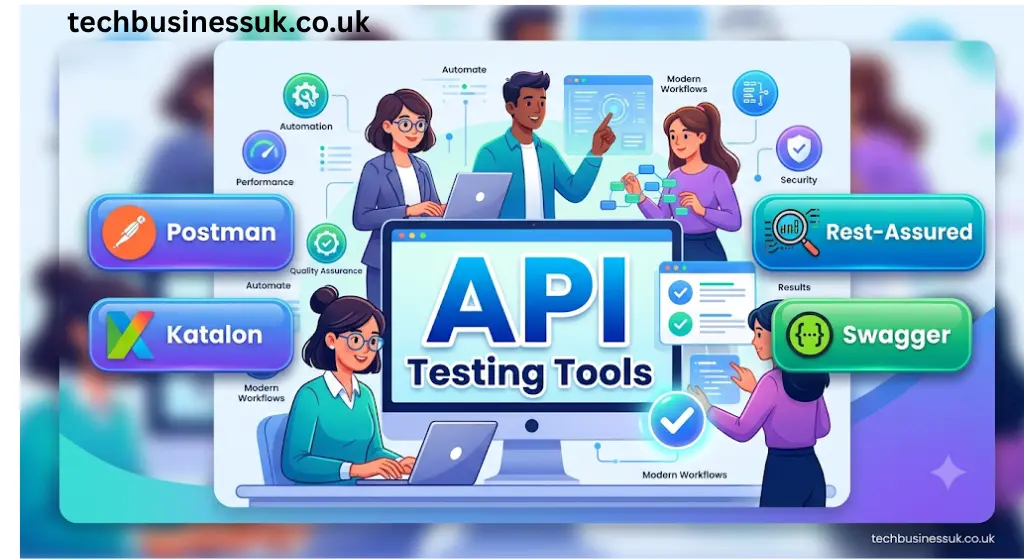
You need to ship software fast. But releasing buggy features to production ruins your user experience and burns developer hours. Selecting smart API testing tools solves this problem immediately. If you want to ship reliable software faster, adopting modern API testing tools is the single best decision you can make today. These automated assistants write scripts, heal broken assertions, and execute tests across your entire pipeline. But relying on legacy scripts is no longer viable, making the switch to API testing tools essential for competitive teams. Let us look at the top options.
What is API Testing in Software Development?
Before integrating API testing tools into your workflow, you must understand the basics. So, what is api testing in software development? Think of visiting your favorite restaurant.
You are the customer, looking to order a delicious meal. The kitchen prepares the food. But you cannot talk directly to the chefs. Instead, a waiter takes your order, brings it to the kitchen, and returns with your plate.
In this analogy, the customer is your application user interface (UI). The kitchen represents the backend database. And the API represents the waiter. Testing the waiter directly is crucial. You must ensure they deliver correct requests to the kitchen and return exact orders.
Traditional testing focuses on cleaning the tables or checking the menus. But API testing verifies the raw data layer directly. It ensures a fast and reliable system. For instance, sending a valid request must return a successful 200 OK response. And sending bad inputs must return a proper error code.
The Quick Dictionary: API Fundamentals
- API (Application Programming Interface): A software intermediary that allows two separate applications to communicate and share data with each other.
- Endpoint: The specific digital address (URL) where an API receives requests and sends responses.
- Payload: The actual raw data (usually in JSON format) transmitted in an API request or response.
The Core Types of API Testing (Beyond Functional Calls)
To build a complete QA automation strategy, your team must test APIs across multiple dimensions. Modern API quality assurance goes far beyond simple status code checks:
- Functional Testing: Verifying that endpoints return exact JSON data, correct payload keys, and proper HTTP status codes
- Performance & Load Testing: Simulating thousands of concurrent user requests to measure endpoint latency, throughput, and system limits under heavy stress.
- Security & Authorization Testing: Validating that unauthenticated requests are blocked and that sensitive endpoints enforce strict access controls.
- Contract & Schema Testing: Ensuring the API response structure strictly adheres to pre-defined specifications (OpenAPI/Swagger) without silent breaking changes.
- Protocol-Specific Testing: Testing across modern architectural standards including REST, GraphQL, WebSockets, and high-performance gRPC backends—especially crucial when validating machine learning endpoints connected to real-time feature pipelines like an open-source feast feature store.
The Structured Blueprint: Understanding Modern QA Workflows
Before we look at the software options, we must understand where this actually happens in the development cycle. In software engineering, QA workflows—or Quality Assurance workflows—refer to the structured, step-by-step processes your development team follows to ensure software meets strict quality standards before it reaches real users.
Instead of randomly clicking buttons and hoping to find errors, a modern QA workflow acts as a highly ordered pipeline. It defines exactly when testing happens, how bugs are reported, and who gives the green light on a release.
A standard, high-performing QA workflow generally breaks down into these six distinct phases:
- Requirement Analysis: Testing starts before a single line of code is written. QA specialists review project requirements early to find logical contradictions or missing details before they compile.
- Test Planning & Design: Here, your team defines the master strategy. They write specific test cases, map out necessary mock data, and decide which parts of the application should be verified manually versus automatically.
- Environment Setup: This phase involves configuring testing servers (often called staging or User Acceptance Testing (UAT) environments) to mirror your live production setup as closely as possible. In cloud-native microservices architectures, this setup includes validating traffic behavior behind an API gateway before hitting backend microservices, ensuring unmanaged endpoints don’t cause architectural bottlenecks or unexpected data sprawl.
- Execution: The phase where you run the actual tests. You check user interfaces, verify backend databases, and execute requests through modern api testing tools to make sure raw data layers behave perfectly.
- Defect Tracking (The Bug Lifecycle): When something breaks, your QA team logs the failure into a tracker like Jira. Your developers fix it, and QA runs the validation checks again to verify the bug is truly gone.
- Sign-Off & Deployment: Once your software passes all pre-defined quality checks, the QA team gives formal approval to release the new features to production.
By standardizing these steps, software teams avoid chaotic, last-minute testing panics and stop critical bugs from crashing their systems in production. Embedding automated api testing tools early in this flow is the ultimate shortcut to scaling these steps without slowing down your deployment momentum.
The Core Shift: Why Teams are Upgrading to API Testing Tools
Writing manual test scripts is slow. It is also incredibly tedious. As teams rush to ship features or fall into vibe coding hell—where AI-generated code introduces hidden structural drift—manual tests break continuously. A developer modifies a minor response key, and suddenly, your entire pipeline fails.
This constant maintenance creates a major bottleneck for agile teams. This is why engineering teams are rapidly upgrading to best api testing tools. Unlike manual scripts, api testing tools reduce flaky assertions through machine learning. These platforms automatically analyze code shifts. If an endpoint property changes, the tool heals the test assertion automatically.
No human intervention is required. And your deployment pipeline keeps moving forward. This shift saves QA teams up to 40% of their debugging time.
The Quick Dictionary: Automation Metrics
- Flaky Tests: Test cases that exhibit unstable behavior, sometimes passing and sometimes failing under the exact same conditions due to minor environment shifts.
- Self-Healing: An advanced capability where a testing tool automatically detects changes in the application structure and updates the test script to prevent a false failure.
- CI/CD Pipeline: A continuous integration and continuous deployment workflow that automates building, testing, and deploying software updates.
Famous API Testing Tools & AI Powerhouses Ranked
Finding the right platform is critical. But navigating the crowded market of famous & best api testing tools is overwhelming. Your team must balance raw code control with ease of use. Each of these api testing tools offers a distinct balance of control and automation. Let us evaluate the top-performing famous api testing tools dominating the industry.
Postman API Testing
Millions of developers use postman api testing daily. It started as a basic web client. Today, it is a robust automation platform. You can organize requests into cohesive collections. These collections make sharing tests simple.
Postman also lets you write JavaScript assertions to validate payloads. While Postman is a legacy powerhouse, it has evolved by adding smart & best API testing tools directly into its native environment. Because automation is key, you can run tests in CI/CD pipelines using the Newman CLI. And the platform now integrates intelligent helpers to write scripts for you.
Katalon Studio
Katalon Studio is built for speed. It caters to teams wanting powerful low-code capabilities. You do not need to write complex scripts. Instead, its smart recording engine captures user journeys.
The tool uses machine learning to detect visual changes and update locators. This means fewer broken tests. This makes Katalon one of the most accessible low-code api testing tools on the market. And it integrates with your existing tools.
Rest-Assured & Testim
Code-first teams prefer Rest-Assured. It is a Java library that simplifies testing REST services. You write assertions using a clean, readable syntax. Because it is open-source, you can extend it endlessly.
If your team prefers writing code, combining Rest-Assured with modern best api testing tools like Testim offers the ultimate coverage. Testim analyzes the structural relationships in your application. It identifies patterns to keep tests stable over time.
k6 & Bruno (Open-Source & Load Automation)
For high-concurrency and performance testing, k6 (by Grafana) lets developers write load test scripts natively in JavaScript. Meanwhile, Bruno has emerged as a privacy-focused, fast open-source alternative to Postman that stores API collections directly as plain files inside your local Git codebase.
Comparison Table
| Tool Name | Learning Curve | Best For | Protocol Support | AI & Core Capabilities |
|---|---|---|---|---|
| Postman | Low to Medium | Collaborative Teams & Exploratory QA | REST, GraphQL, WebSockets, gRPC | Natural language test generator (Postbot) & collection runner |
| Katalon Studio | Medium | Low-Code Enterprise Automation | REST, SOAP | Self-healing test scripts and smart object detection |
| Rest-Assured | High | Java Developers & Code-First Suites | REST, HTTP/2 | Standard testing (Manual Java code & DSL assertions) |
| Testim | Medium | End-to-End & AI Regression Testing | REST, GraphQL | Automated selector healing and predictive maintenance |
| Grafana k6 | Medium to High | Performance & Load Testing | REST, gRPC, WebSockets | Developer-centric JS scripting with real-time telemetry |
| Bruno | Low | Git-Native & Privacy-Focused QA | REST, GraphQL | Local markup language (Bru) for versioning tests directly in Git |
| Apache JMeter | High | Heavy Protocol Stress Testing | REST, SOAP, FTP, JDBC, TCP | Open-source load generation across complex enterprise stacks |
Public Free API Projects to Practice API Testing Hands-On
Reading about automated tools is helpful. But hands-on experience is irreplaceable. You need active sandboxes to try your skills. Fortunately, there are excellent public free api projects to practice api testing without spending a penny.
To get started, you do not need expensive subscriptions to trial these best api testing tools. These sandboxes simulate real-world payloads. They are perfect for training both junior engineers and experienced QA specialists.
🔒 Dictionary: Integration Protocols
- REST (Representational State Transfer): An architectural style that uses standard HTTP methods (GET, POST, PUT, DELETE) to access and manipulate data.
- Rate Limiting: A security control that restricts the number of requests a user can make to an API within a specific timeframe to prevent abuse.
- Query Parameters: Key-value pairs appended to the end of a URL (e.g., ?key=value) to filter or sort API response data.
Beginner Level: JSONPlaceholder & ReqRes
Start your journey here. JSONPlaceholder is a mock server. It mimics real database structures. You can practice standard CRUD operations like GET and POST.
Verify that successful lookups return a 200 OK status code. Creating mock resources must return a 201 Created response. Because these platforms require no authorization, they are perfect for beginners. Testing against these sandboxes allows you to safely trial different api testing tools without configuration issues.
Intermediate Level: PokéAPI & The Rick and Morty API
Ready to scale up? The PokéAPI contains massive datasets. And the data is deeply nested. You must parse complex JSON payloads to extract specific attributes.
This teaches you pagination. You also learn to extract variable IDs. Passing an extracted character ID into a secondary request is a vital skill. It mimics actual user behaviors.
Advanced Level: OpenWeatherMap & Fake Store API
Now, test your limits. Real enterprise platforms protect their endpoints. OpenWeatherMap requires a valid developer API key. You must pass this key within query parameters or authorization headers.
If you omit the token, assert that the system returns a 401 Unauthorized code. You can also practice passing bearer tokens inside the HTTP Authorization header to simulate real-world authentication logic. You should also test rate limits. Hitting endpoints too fast should trigger a 429 Too Many Requests rate limit code. These real-world patterns prepare you for commercial environments.
Next Steps: Securing Your Endpoints
Deploying API testing tools protects your functional performance. But verifying that your system works is only half the battle. You must also protect your interfaces from external exploits. If an endpoint is exposed, malicious actors can hijack your database.
So, your next immediate task is studying protection workflows. Our upcoming guides cover API Security Best Practices to keep your systems safe. We will also analyze key weaknesses from the OWASP API Security Top 10 list. Securing your endpoints must be a priority for every modern team.
Conclusion
Adopting smart API testing tools is the fastest way to protect your release quality. By automating manual tasks, you free your team to focus on building features. But selecting the right API testing tools is only the first step toward continuous stability. Practice constantly, and stay tuned to our latest tech news and digital trends to keep your engineering stack ahead of the curve.
Which tool or public sandbox environment are you going to load into your local workspace first? Let us know in the comments below!
Read this too: GitHub Copilot Security Concerns
Frequently Asked Questions (FAQ)
What is API testing in software development and why does it matter?
API testing in software is a technical practice where you evaluate an application programming interface directly at the data layer. Instead of clicking buttons on a traditional graphical interface, you send structured requests straight to the server and analyze the raw payloads returned. It matters because it allows your team to find critical logic bugs and security flaws early in the development lifecycle before any front-end code is even written.
What are the most famous api testing tools used by enterprise teams?
The most best and famous api testing tools include Postman, Katalon Studio, and Rest-Assured. Postman remains the industry standard for exploratory work and quick manual assertions. For automated continuous integration environments, code-first frameworks like Rest-Assured or low-code options like Katalon Studio are preferred to maintain massive regression test suites.
How do you perform postman api testing for automated regression?
Executing postman api testing at scale requires organizing your endpoints into structured collections. You write automated validation checks using JavaScript within the tests tab to instantly review status codes and verify the integrity of response bodies. To run these tests automatically inside your build pipelines without opening the visual application, teams utilize the command-line companion called Newman.
Where can I find public free api projects to practice api testing safely?
The best public free api projects to practice api testing include sandboxes like JSONPlaceholder for testing basic data creation, and PokéAPI for handling nested data structures. You can also use advanced platforms like OpenWeatherMap to practice adding authentication keys and managing rate limits. These sandboxes allow junior engineers to practice real-world requests safely without accidental backend corruption.
What is the difference between a 401 Unauthorized and a 403 Forbidden status code?
A 401 Unauthorized status code means the server does not know who you are because your authentication header or bearer token is missing, broken, or expired. A 403 Forbidden status code means the server knows exactly who you are, but your account simply does not have the administrative clearance or permission level required to access that specific resource.
About the Author

11 thoughts on “7 Best API Testing Tools for Modern QA Workflows (with Free Practice Projects)”