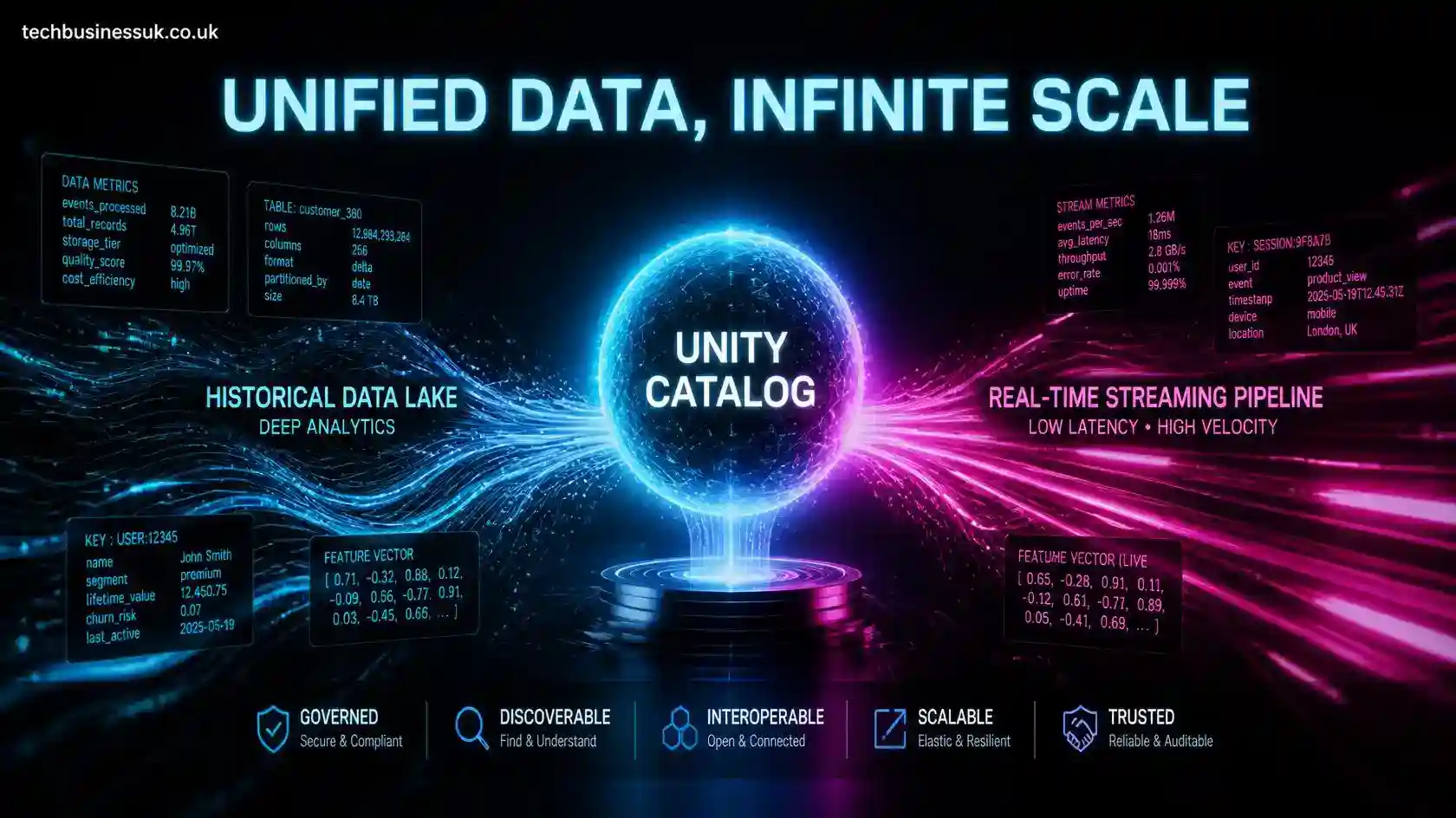
An enterprise feature store provides a centralized, governed, and highly scalable repository designed specifically for computing, discovering, storing, and serving machine learning features. As machine learning infrastructure moves away from ad-hoc data preparation scripts and isolated data science experiments, managing features systematically across production systems becomes paramount to prevent data fragmentation and mitigate wider data sprawl.
In modern Lakehouse data architectures, Databricks Feature Engineering in Unity Catalog merges centralized governance with high-throughput distributed processing. By managing features directly within Unity Catalog alongside an enterprise-wide API governance model, organizations eliminate the traditional barrier between analytical data engineering and real-time operational inference. This cohesive pipeline architecture prevents training-serving skew, streamlines regulatory compliance, and ensures point-in-time correctness across complex MLOps lifecycles.
1. Core Architecture & Concepts
The Databricks Feature Store relies on a dual-layer architecture built directly on top of Unity Catalog and Delta Lake ACID transactions and Time Travel. Rather than maintaining isolated silos for offline batch training and online low-latency serving, Unity Catalog serves as the single source of truth for schema definitions, access privileges, and operational lineage.
                               ┌───────────────────────────────┐
                               │    Unity Catalog Metastore    │
                               │   (Catalog . Schema . Table)  │
                               └──────────────┬────────────────┘
                                              │
              ┌───────────────────────────────┴───────────────────────────────┐
              │                                                               │
 ┌────────────▼─────────────┐                                    ┌────────────▼─────────────┐
 │   Offline Feature Store  │                                    │   Online Feature Store   │
 │   (Delta Lake Format)    │                                    │ (Lakebase Autoscaling)   │
 │ - High-Throughput Batch  │─── Synchronized Materialization ──►│ - Low-Latency Key Lookups │
 │ - Point-in-time Joins    │                                    │ - Real-Time Inference    │
 └──────────────────────────┘                                    └──────────────────────────┘
Offline Feature Store (Delta Lake & Unity Catalog)
The offline feature store is structured using standard Delta Lake tables registered under Unity Catalog’s three-tier namespace (catalog.schema.table). Because offline workloads require scanning multi-terabyte datasets across historical time horizons, this storage layer emphasizes extreme read and write throughput.
Key technical responsibilities of the offline feature store include:
- Historical Retention: Storing long-horizon time-series metrics required for deep feature extraction, baseline profiling, and historical model backtesting.
- ACID Guarantees: Utilizing Delta Lake log protocols to allow concurrent batch pipelines and streaming jobs to write updates safely without reader locks.
- Point-in-Time Join Calculations: Supporting complex temporal joins that construct historical feature states without leaking data across time boundaries.
Online Feature Store (Low-Latency Serving)
While Delta Lake excels at high-throughput analytical scans, production REST APIs demand response times in single-digit milliseconds. To bridge this gap, Databricks provides an online feature store layer powered by low-latency key-value datastores—such as Databricks Lakebase Autoscaling Postgres, Amazon DynamoDB, or Azure Cosmos DB.
Key characteristics of the online store include:
- Key-Indexed Lookups: Storing only the most recent feature snapshot per primary entity key (e.g.,
user_id,device_id, ormerchant_id). - Sub-Millisecond Read Performance: Serving feature vectors instantly to real-time model serving containers running on a fastapi websocket manager, FastAPI vs Flask web instances, or Databricks Model Serving.
- Automated Sync Engine: Continuous background materialization jobs mirror updates from offline Delta tables to online stores cleanly without manual application orchestration.
Column-Level Lineage & Governance
Because features are native Unity Catalog assets, governance is applied at the schema, table, and individual column levels. Utilizing the PySpark Structured Streaming API or standard batch operations, every write registers automatic operational metadata.
Through automated data lineage, platform administrators can trace a feature back to its raw Bronze landing zone or downstream to every deployed model artifact currently using it. This eliminates orphan features, simplifies audit trails for software compliance testing, and allows engineers to evaluate the impact of upstream schema modifications before deploying changes.
2. Feature Table Creation & Ingestion
Creating a feature table in Databricks requires establishing a primary key constraint on a Delta table within Unity Catalog. Feature pipelines can be defined using Python SDK abstractions (databricks-feature-engineering) or direct ANSI SQL definitions.
Registering PySpark Feature Pipelines
In typical production workflows, feature computation functions perform distributed transformations on PySpark DataFrames. Choosing between an async vs sync design pattern for compute triggers depends on whether processing streams or periodic batch frames. Once transformed, the FeatureEngineeringClient registers the table metadata, primary keys, and optional partition constraints inside Unity Catalog.
Python
from databricks.feature_engineering import FeatureEngineeringClient
from pyspark.sql.functions import col, avg, count, expr, current_timestamp

# Initialize the Feature Engineering Client
fe = FeatureEngineeringClient()

# 1. Compute aggregate features from raw transaction logs
raw_transactions = spark.read.table("main.bronze.user_transactions")

features_df = (
    raw_transactions
    .groupBy("user_id")
    .agg(
        avg("amount").alias("avg_transaction_amount_30d"),
        count("transaction_id").alias("total_transactions_30d"),
        expr("percentile_approx(amount, 0.95)").alias("p95_transaction_amount_30d")
    )
    .withColumn("last_updated_timestamp", current_timestamp())
    .select(
        col("user_id").cast("string"),
        col("avg_transaction_amount_30d").cast("double"),
        col("total_transactions_30d").cast("integer"),
        col("p95_transaction_amount_30d").cast("double"),
        col("last_updated_timestamp").cast("timestamp")
    )
)

# 2. Define target table name in Unity Catalog 3-level namespace
target_table_name = "main.ml_features.user_spending_features"

# 3. Create the feature table with Primary Key constraints
fe.create_table(
    name=target_table_name,
    primary_keys=["user_id"],
    df=features_df,
    description="Calculated 30-day aggregate user transaction and spending metrics"
)
Alternatively, teams managing infrastructure through SQL scripts can evaluate whether GraphQL vs SQL fits their wider application layer, while creating feature tables directly using ANSI SQL Syntax:
SQL
-- Declare feature table natively in Unity Catalog
CREATE TABLE IF NOT EXISTS main.ml_features.user_spending_features (
  user_id STRING NOT NULL,
  avg_transaction_amount_30d DOUBLE,
  total_transactions_30d INT,
  p95_transaction_amount_30d DOUBLE,
  last_updated_timestamp TIMESTAMP,
  CONSTRAINT user_spending_pk PRIMARY KEY (user_id)
)
USING DELTA
COMMENT 'Calculated 30-day aggregate user transaction metrics';
3. Optimizing Point-In-Time (AS OF) Joins
One of the most insidious bugs in predictive machine learning is data leakage. Leakage occurs when feature values calculated after an event has occurred are mistakenly included in the training dataset. For example, if a customer churns at 2:00 PM, joining feature metrics computed at 5:00 PM introduces future information into historical model training.
Preventing Data Leakage in Model Training
To resolve temporal mismatch, Databricks Feature Engineering introduces automated point-in-time (AS OF) joins. By mapping a timestamp_lookup_key within a FeatureLookup declaration, the engine evaluates temporal order per record, matching observation timestamps to feature states that existed on or before that exact microsecond.
Python
from databricks.feature_engineering import FeatureLookup, FeatureEngineeringClient

fe = FeatureEngineeringClient()

# Load ground-truth observation events containing labels and timestamps
observation_df = spark.read.table("main.ml_gold.customer_churn_labels")

# Define point-in-time feature lookups across multiple feature tables
feature_lookups = [
    FeatureLookup(
        table_name="main.ml_features.user_daily_metrics",
        feature_names=["avg_spend_30d", "login_count_7d"],
        lookup_key="user_id",
        timestamp_lookup_key="event_timestamp"  # Evaluates: feature_timestamp <= event_timestamp
    ),
    FeatureLookup(
        table_name="main.ml_features.user_support_tickets",
        feature_names=["open_tickets_count", "unresolved_escalations"],
        lookup_key="user_id",
        timestamp_lookup_key="event_timestamp"
    )
]

# Create leakage-free training dataset automatically
training_set = fe.create_training_set(
    df=observation_df,
    feature_lookups=feature_lookups,
    label="is_churned",
    exclude_columns=["event_timestamp", "created_at"]
)

# Convert to Spark DataFrame for down-stream machine learning algorithms
training_df = training_set.load_df()
                     TEMPORAL POINT-IN-TIME JOIN LOGIC

Feature Table State:   [Feature State v1]      [Feature State v2]      [Feature State v3]
Timestamp:                 10:00 AM                01:00 PM                04:00 PM
                             │                       │                       │
                             └───────────┬───────────┘                       │
                                         │                                   │
Observation Event:              [User Churn Event]                           │
Timestamp:                          02:30 PM                                 │
                                         │                                   │
Join Result:              MATCHES Feature State v2 ◄─────────────────────────┘
                          (Ignores Future State v3!)
Accelerating Temporal Joins with Liquid Clustering
Performing point-in-time joins across large tables requires evaluating complex range inequalities (feature_timestamp <= event_timestamp). On traditional partitioned layouts, this forces expensive full-table scans.
To optimize lookup speeds, apply Liquid Clustering (CLUSTER BY) on primary entity keys and time-series columns during table creation:
SQL
-- Apply Liquid Clustering on composite primary key and time-series timestamp
CREATE TABLE main.ml_features.user_daily_metrics (
  user_id STRING NOT NULL,
  feature_timestamp TIMESTAMP NOT NULL,
  avg_spend_30d DOUBLE,
  login_count_7d INT,
  CONSTRAINT user_daily_pk PRIMARY KEY (user_id, feature_timestamp TIMESERIES)
)
USING DELTA
CLUSTER BY (user_id, feature_timestamp);
Liquid Clustering dynamically groups data along multidimensional space-filling curves. During temporal joins, the query engine prunes non-relevant data files automatically, dramatically cutting query execution times on petabyte-scale training sets.
4. Model Logging & Packaging with Feature Specs
Traditional machine learning deployments require software engineers to manually duplicate feature pipeline code inside serving microservices to construct input vectors at inference time. This manual handoff introduces bugs, increases technical debt, and leads directly to training-serving skew.
Databricks eliminates manual feature assembly by integrating feature metadata directly into MLflow Model Registry and Tracking artifacts.
Automated Feature Retrieval with MLflow Models
When training a model on a dataset generated via create_training_set(), log the resulting model artifact using fe.log_model(). This packages the trained weights alongside an explicit Feature Specification metadata manifest.
When writing automated pipeline scripts, teams should follow secure API coding guidelines and audit any auto-generated logic against AI generated code security risks before deploying to production environments.
Python
import mlflow
import xgboost as xgb
from databricks.feature_engineering import FeatureEngineeringClient

fe = FeatureEngineeringClient()

# Convert Spark DataFrame to Pandas for local model training
pdf = training_df.toPandas()
X_train = pdf.drop(["user_id", "is_churned"], axis=1)
y_train = pdf["is_churned"]

with mlflow.start_run(run_name="xgboost_churn_estimator"):
    # Train gradient boosting classifier
    model = xgb.XGBClassifier(n_estimators=100, max_depth=6, learning_rate=0.1)
    model.fit(X_train, y_train)

    # Log model artifact with embedded feature lookup specs
    fe.log_model(
        model=model,
        artifact_path="churn_prediction_model",
        flavor=mlflow.xgboost,
        training_set=training_set,
        registered_model_name="main.ml_models.customer_churn_xgboost"
    )
The Architectural Breakthrough: At inference time, downstream client applications no longer need to calculate or supply pre-computed features! Client applications simply send raw entity keys (
user_id). The MLflow model automatically looks up missing features from the appropriate online store before scoring.
Python
# Real-Time Scoring Request (Client provides ONLY entity key)
input_data = [{"user_id": "USR_982341"}]

# Predict automatically fetches user_id features from Online Store!
predictions = fe.score_batch(
    model_uri="models:/main.ml_models.customer_churn_xgboost/1",
    df=spark.createDataFrame(input_data)
)
5. Publishing Features to Online Stores for Real-Time Serving
To support sub-10 millisecond scoring latency on production REST endpoints, offline Delta tables must be published to a high-performance online storage engine.
Low-Latency Inference with Databricks Model Serving
Databricks offers fully managed online store provisioning powered by Lakebase Autoscaling. Securing these ingress channels requires deploying an API gateway backed by proper API gateway security enforcement.
Provisioning and publishing feature data requires minimal Python configuration:
Python
from databricks.feature_engineering import FeatureEngineeringClient

fe = FeatureEngineeringClient()

# 1. Provision an autoscaling online store backed by Lakebase Infrastructure
fe.create_online_store(
    name="production-user-features-online",
    capacity="CU_2"  # Compute Units for auto-scaling memory and read throughput
)

# 2. Sync offline Delta feature table to the online key-value store
fe.publish_table(
    name="main.ml_features.user_spending_features",
    online_store_name="production-user-features-online",
    streaming=True  # Continuous streaming synchronization via Structured Streaming
)
When connecting external agents or modern LLM interfaces to serving endpoints, evaluating MCP vs API helps define whether to implement standard REST endpoints or Model Context Protocol schemas.
Whether you build managed platforms on Databricks or leverage open-source frameworks like our feast feature store guide, keeping online and offline layers synchronized is vital for stability. To learn more about modern tech innovations, check out betterthistechs news.
6. Real-Time Streaming Features with Lakeflow Pipelines
Modern applications—such as credit card fraud detection, dynamic pricing, and real-time recommendation systems—cannot wait for daily batch jobs to update feature values. Features must reflect user behavior seconds after an action occurs.
Building Streaming Feature Views
Databricks supports real-time feature engineering using streaming pipelines and declarative Feature Views. Stream Feature Views continuously ingest data from message buses like Apache Kafka or AWS Kinesis, write feature snapshots to Delta Lake, and pipe updates directly to online key-value stores with sub-second latency.
Python
from pyspark.sql.functions import col, window, count, sum

# Read streaming transaction events from Kafka or Auto Loader
streaming_raw_events = (
    spark.readStream
    .format("delta")
    .table("main.bronze.realtime_clicks")
)

# Compute streaming sliding window features
streaming_features_df = (
    streaming_raw_events
    .groupBy(
        col("user_id"),
        window(col("click_timestamp"), "10 minutes", "1 minute")
    )
    .agg(
        count("click_id").alias("click_count_10m"),
        sum("purchase_value").alias("spend_sum_10m")
    )
    .select(
        col("user_id"),
        col("click_count_10m"),
        col("spend_sum_10m"),
        col("window.end").alias("feature_timestamp")
    )
)

# Direct Continuous Sink to Delta Table
query = (
    streaming_features_df.writeStream
    .format("delta")
    .outputMode("complete")
    .option("checkpointLocation", "/volume/checkpoints/realtime_user_features")
    .toTable("main.ml_features.realtime_user_features")
)
To validate that streaming pipelines perform correctly without regression, testing teams utilize automated API test automation tools in CI/CD pipelines to run continuous integration suites.
7. Operational Best Practices: Testing, Monitoring & Security
Deploying feature stores in enterprise production environments requires strict operational hygiene around data freshness, drift monitoring, security, and capacity planning.
                  ENTERPRISE FEATURE STORE SECURITY & OBSERVABILITY

  ┌──────────────────────────────────────────────────────────────────────────────┐
  │                           Production Ingress Layer                           │
  │   - API Rate Limiting  - Bearer Token Auth  - API Threat Modelling          │
  └──────────────────────────────────────┬───────────────────────────────────────┘
                                         │
  ┌──────────────────────────────────────▼───────────────────────────────────────┐
  │                            Feature Store Engine                              │
  │   - LLM Observability   - SAST vs. DAST Scans   - Contract Testing           │
  └──────────────────────────────────────┬───────────────────────────────────────┘
                                         │
  ┌──────────────────────────────────────▼───────────────────────────────────────┐
  │                            Data Governance & Storage                         │
  │   - Unity Catalog Lineage   - Schema Validation   - Security Risk Assessment │
  └──────────────────────────────────────────────────────────────────────────────┘
1. Security Infrastructure & Endpoint Defense
Exposing feature store endpoints via serving APIs requires robust defensive layers:
- Rate Limiting & Perimeter Security: Protect serving endpoints from denial-of-service or scraping attacks by implementing API rate limiting algorithms like the leaky bucket algorithm.
- Authentication & Authorization: Secure model inference requests using strong API authentication methods. Differentiate clearly between authentication vs authorization to ensure endpoints validate permissions before returning sensitive feature vectors, verifying credentials via a secure bearer token.
- Threat Modelling: Perform proactive API Threat Modelling and regular Security Risk Assessment audits to identify potential data exfiltration vectors. Conduct periodic API Penetration Testing and automated scanning using specialized API security tools.
2. LLM Systems & AI Guardrails
When feature stores serve vector embeddings or context features to Generative AI agents, additional safety controls are required:
- Observability & Monitoring: Implement end-to-end LLM observability to trace feature retrievability, prompt construction, and output latency. Continuous tracking can be performed using dedicated API monitoring dashboards.
- Guardrails & Testing: Use rigorous AI guardrails testing to sanitize incoming inputs. Enforce strict Prompt Injection Prevention measures, execute an llm api testing guide workflow, and conduct adversarial AI Red Teaming to prevent jailbreak vulnerabilities.
3. Pipeline Quality & Automated Testing
- Contract & Quality Testing: Validate microservice dependencies across environments with Contract testing tools. Ensure API responses follow predictable schemas by establishing robust API error handling standards.
- Code Auditing: Evaluate static and dynamic code safety by comparing SAST vs. DAST methodologies across your data engineering repositories.
- Testing Toolchains: Use specialized API testing tools during development. For UI-driven feature dashboards, leverage playwright python automation, or review playwright vs selenium when choosing a browser test framework.
8. Summary Comparison: Offline vs. Online Feature Stores
| Architectural Aspect | Offline Feature Store | Online Feature Store |
|---|---|---|
| Storage Engine | Delta Lake / Parquet (Unity Catalog) | Lakebase Autoscaling (Postgres) / Cosmos DB / DynamoDB |
| Primary Use Case | Model training, batch inference, historical backtesting | Low-latency real-time inference, REST API scoring |
| Latency Target | Seconds to hours (Optimized for throughput) | Sub-10 milliseconds (Optimized for response time) |
| Query Pattern | Bulk scans, complex temporal range joins (AS OF) | Point lookups (SELECT * WHERE user_id = X) |
| Optimization Tech | Liquid Clustering (CLUSTER BY), Partitioning, OPTIMIZE |
Primary Key B-Tree Indexing, In-Memory Caching |
| Cost Profile | Scaled cost based on storage volume and compute hours | Continuous baseline compute allocation based on capacity units |
9. FAQs
Q1: What is the main difference between an offline and online feature store in Databricks?
A: The offline feature store uses Delta Lake tables within Unity Catalog to process and store large-scale historical feature data optimized for high-throughput batch model training. The online feature store syncs the latest feature values to low-latency key-value datastores (like Lakebase Autoscaling Postgres, DynamoDB, or Cosmos DB) to enable sub-10 millisecond key lookups during real-time model scoring.
Q2: How does Databricks Feature Store prevent data leakage during model training?
A: Databricks prevents data leakage through point-in-time (AS OF) joins. By configuring a timestamp_lookup_key within FeatureLookup, the feature store automatically matches each observation event’s timestamp to the feature state that existed on or before that exact microsecond, ensuring future feature values never leak into historical training sets.
Q3: Why should I use Unity Catalog for feature store management instead of workspace-local tables?
A: Unity Catalog provides centralized, cross-workspace governance, fine-grained access control (column-level and row-level), and automatic column-level lineage tracking. Managing features in Unity Catalog ensures that features, models, and raw data are discoverable, auditable, and compliant across your entire enterprise without creating isolated data silos.
Q4: How does Databricks eliminate training-serving skew?
A: Training-serving skew is eliminated by packaging feature specs directly into MLflow model artifacts via fe.log_model(). At inference time, client applications only need to supply the primary entity key (e.g., user_id); the model automatically retrieves missing features from the online feature store using the exact same transformations defined during training.
Q5: Can I compute and publish real-time features dynamically with Databricks?
A: Yes. Using PySpark Structured Streaming and Lakeflow pipelines, you can continuously compute windowed or aggregated features from streaming sources (such as Apache Kafka or AWS Kinesis). These continuous updates write directly to Delta Lake feature tables and automatically sync to the online feature store with sub-second latency.
About the Author