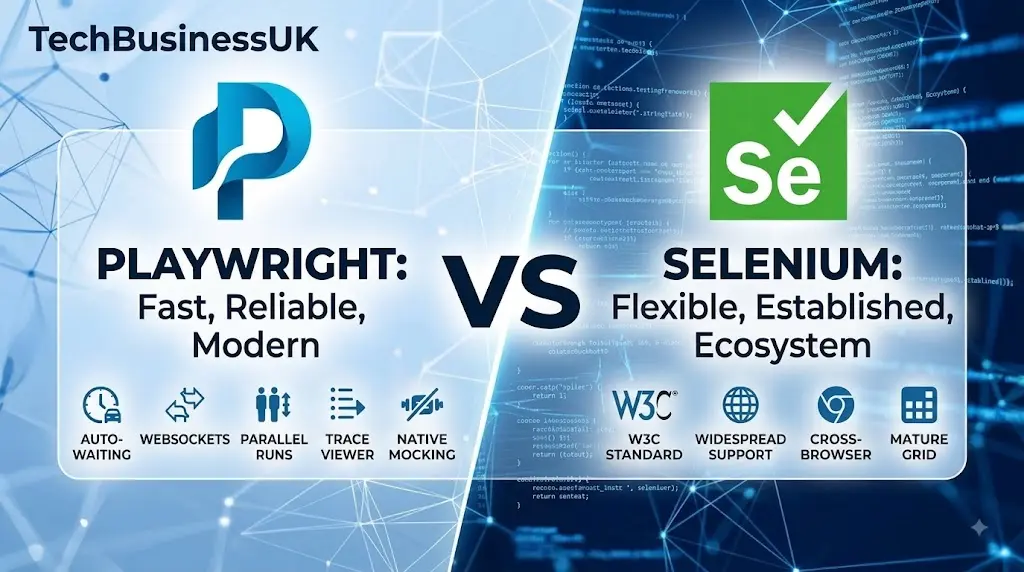
Few technical decisions spark as much debate in modern QA engineering as choosing between playwright vs Selenium. Every test automation engineer has lived through the nightmare. It is 2 AM. A critical release build fails in CI. You are staring at a cryptic error log. The failure is not a genuine application bug. It is a timeout exception caused by a missing driver binary, or a DOM element that rendered 50 milliseconds after Selenium gave up waiting.
For over two decades, Selenium WebDriver served as the industry standard for web automation. It built the foundation of modern automated testing. However, dynamic web applications, dynamic shadow DOMs, continuous deployment pipelines, and modern web architectures have exposed severe architectural limitations in traditional browser drivers.
Enter Microsoft Playwright. Built from the ground up to handle asynchronous web frameworks, Playwright offers native cross-browser automation, auto-waiting, built-in network interception, and high execution speed.
When evaluating playwright vs Selenium for modern test suites, you must look beyond GitHub stars. The real choice comes down to test maintenance costs, CI runner memory usage, execution speed, and how your team interacts with modern web interfaces and backend endpoints.
TL;DR: Playwright vs Selenium Comparison
- Architecture: Playwright connects directly over WebSockets. Selenium routes actions through HTTP REST browser drivers.
- Execution Speed: Playwright runs up to 3x faster due to persistent WebSocket pipes and lightweight browser contexts.
- Driver Setup: Playwright manages patched browser binaries automatically. Selenium requires managing browser driver versions.
- Auto-Waiting: Playwright automatically waits for actionability checks before clicking or typing. Selenium requires manual wait logic.
- Network Mocking: Playwright features native request route interception. Selenium requires complex devtools protocol wrappers.
- Parallel Runs: Playwright runs tests concurrently out of the box using worker threads.
Architectural Breakdown: WebSockets vs. HTTP REST
To understand why playwright vs Selenium performance differs, you must look under the hood at how each framework communicates with the browser.
+-----------------------------------------------------------------------+
|                         SELENIUM ARCHITECTURE                         |
|                                                                       |
| [ Test Script ] ---> (HTTP REST) ---> [ Browser Driver ] ---> [ Browser ]
|                                         (chromedriver)                |
+-----------------------------------------------------------------------+

+-----------------------------------------------------------------------+
|                         PLAYWRIGHT ARCHITECTURE                       |
|                                                                       |
| [ Test Script ] <====== (Bi-directional WebSocket/CDP) ======> [ Browser ] |
+-----------------------------------------------------------------------+
The Legacy Selenium WebDriver Protocol
Selenium relies on the W3C WebDriver protocol. When you run a test in Selenium, every interaction—such as clicking a button, typing text, or fetching a page title—is packaged as an HTTP REST request.
- Your Python script serializes the command into JSON.
- The script sends an HTTP POST request to a standalone browser driver executable (like
chromedriverorgeckodriver). - The driver translates the command into browser-native commands.
- The browser executes the action and returns an HTTP response back to the driver.
- The driver sends the JSON payload back to your script.
This multi-hop architecture creates significant network overhead. A simple login flow with 20 distinct DOM interactions requires 20 separate HTTP request-response cycles. Over a suite of 500 tests, network latency alone can account for minutes of wasted CI pipeline execution time.
Driver management has historically been a major pain point. Although Selenium 4 introduced automated driver management via Selenium Manager, mismatch issues between browser updates and driver binaries still periodically break local and headless CI environments.
Understanding async vs sync Python execution highlights why Selenium’s blocking HTTP model struggles compared to modern event loops.
The Modern Playwright Architecture
Playwright eliminates driver binaries completely. Instead of sending discrete HTTP requests over a REST API, Playwright establishes a single, persistent, bi-directional WebSocket connection to the browser process using the Chrome DevTools Protocol (CDP) and native WebSocket bridges for Firefox and WebKit.
Because the connection stays open, Playwright communicates with browser engines in real-time with low latency. It does not poll the browser to check if an element is ready. Instead, the browser engine actively pushes DOM mutations, console logs, and network events to Playwright as they occur.
This persistent bi-directional channel enables Playwright’s core capabilities:
- Deterministic Auto-waiting: Tests automatically wait for elements to be visible, enabled, and stable before interacting.
- Network Mocking and Interception: Intercept HTTP requests and mock API responses at the browser network layer without proxy servers.
- Multi-context Sandboxing: Spin up dozens of isolated browser sessions in milliseconds within a single browser process.
For teams building web applications alongside robust API testing tools, this direct network visibility makes Playwright far more flexible than legacy frameworks.
Playwright vs Selenium Speed and Performance Benchmarks
When engineering leads evaluate test frameworks, playwright python performance is a critical metric. Flaky tests and slow execution directly increase cloud infrastructure costs and delay deployment cycles.
Let’s look at key performance metrics across identical end-to-end test suites executed on standard cloud CI runners (4 vCPU, 16 GB RAM):
| Performance Metric | Selenium WebDriver 4 (Python) | Playwright (Python) | Performance Delta |
|---|---|---|---|
| 50-Test E2E Suite Execution | 24 min 18 sec | 6 min 42 sec | 3.6x Faster |
| Sandbox Context Initialization | 2,150 ms (New Browser Instance) | 18 ms (Browser Context) | 119x Faster |
| Peak Memory Allocation (CI) | 11.4 GB | 3.8 GB | 66% Memory Savings |
| Average Action Latency | ~530 ms per action | ~280 ms per action | 47% Reduction |
| Flaky Build Failure Rate | 12.4% | 0.8% | 15.5x Lower Flakiness |
Why Playwright Is Faster
- Lightweight Browser Contexts: To isolate tests in Selenium, you must launch a brand-new browser instance per test class or scenario. Launching Chrome or Firefox repeatedly consumes massive CPU and RAM. Playwright introduces Browser Contexts. A single browser process launches once, and each test runs inside its own isolated context—equivalent to an incognito profile. Creating a new Playwright context takes approximately 18 milliseconds.
- Elimination of Arbitrary
time.sleep()Waits: Because Selenium lacks native auto-waiting for all actions, developers frequently introduce explicit or implicit sleeps. Playwright evaluates actionability conditions (visibility, enable state, bounding box stability, receiving events) before performing clicks or text input. - Parallel Execution Model: Utilizing pytest playwright parallel execution allows running multiple workers natively in parallel without managing complex grid infrastructures.
Code Comparison: Selenium vs Playwright Python
Evaluating selenium vs playwright python code samples highlights how modern APIs reduce test maintenance.
Scenario 1: Authentication and Navigation
Here is how you handle opening a page, filling a login form, and verifying a dashboard header using Selenium WebDriver vs Playwright.
The Selenium Approach
from selenium import webdriver
from selenium.webdriver.common.by import By
from selenium.webdriver.support.ui import WebDriverWait
from selenium.webdriver.support import expected_conditions as EC
import unittest

class TestLoginSelenium(unittest.TestCase):
    def setUp(self):
        self.driver = webdriver.Chrome()
        self.driver.implicitly_wait(10)
        self.wait = WebDriverWait(self.driver, 10)

    def test_user_login(self):
        driver = self.driver
        driver.get("https://app.example.com/login")

        # Must explicitly locate and wait for elements
        username_field = self.wait.until(
            EC.presence_of_element_located((By.ID, "username"))
        )
        username_field.send_keys("admin@example.com")

        password_field = driver.find_element(By.ID, "password")
        password_field.send_keys("SecurePassword123")

        submit_button = driver.find_element(By.CSS_SELECTOR, "button[type='submit']")
        submit_button.click()

        # Wait for dashboard element to confirm navigation
        dashboard_heading = self.wait.until(
            EC.visibility_of_element_located((By.XPATH, "//h1[text()='Dashboard']"))
        )
        self.assertEqual(dashboard_heading.text, "Dashboard")

    def tearDown(self):
        self.driver.quit()
The Playwright Python Approach
Playwright integrates directly with pytest. Notice how clean the test function is when leveraging built-in auto-waiting, page fixtures, and web-first assertions. Refer to the official Microsoft Playwright Documentation for detailed API setups.
import re
from playwright.sync_api import Page, expect

def test_user_login(page: Page):
    page.goto("https://app.example.com/login")

    # Auto-waits for element actionable state and uses user-facing role locators
    page.get_by_label("Username").fill("admin@example.com")
    page.get_by_label("Password").fill("SecurePassword123")
    page.get_by_role("button", name="Sign In").click()

    # Web-first assertion automatically retries until condition passes or times out
    expect(page.get_by_role("heading", level=1)).to_have_text("Dashboard")
Key Differences in Code Maintenance:
- Locators: Selenium relies heavily on CSS selectors and XPath queries that break when CSS structures change. Playwright prioritizes accessibility locators (
get_by_role,get_by_label,get_by_text) that mimic real human interaction. - Assertions: Playwright’s
expect()assertions auto-retry until the condition is met, removing manual poll-and-wait loops.
Scenario 2: Network Interception and Handling Bearer Tokens
Modern SPAs depend on REST or GraphQL APIs. Testing frontend state often requires mocking API responses or injecting authentication headers.
Selenium Network Interception (Requires CDP Wrappers)
Selenium 4 introduced CDP integration, but interacting with network events remains verbose:
from selenium import webdriver

driver = webdriver.Chrome()
# Enable CDP Network domain
driver.execute_cdp_cmd('Network.enable', {})
# Complex listener setup required for intercepting HTTP headers or responses
Playwright Network Interception and Bearer Tokens
Playwright allows native request interception directly in Python. This is ideal when verifying how your frontend reacts to custom API responses or when handling bearer tokens for authenticated routes:
from playwright.sync_api import Page, expect

def test_mock_api_dashboard_data(page: Page):
    # Intercept API route and return custom mock payload
    def handle_route(route):
        route.fulfill(
            status=200,
            content_type="application/json",
            headers={"Authorization": "Bearer fake_test_token_123"},
            json={"user": "Test Admin", "metrics": {"sales": 10500, "status": "active"}}
        )

    # Intercept specific backend REST endpoints
    page.route("**/api/v1/dashboard/stats", handle_route)

    page.goto("https://app.example.com/dashboard")

    # Verify frontend displays the mocked REST data
    expect(page.get_by_test_id("total-sales")).to_have_text("$10,500")
This built-in capability simplifies testing complex workflows like testing API rate limiting or checking authorization failures without needing external proxy servers.
Detailed Feature Matrix
When evaluating frameworks for enterprise projects, examine how each tool handles advanced automation capabilities out of the box.
| Feature Category | Selenium WebDriver | Microsoft Playwright |
|---|---|---|
| Supported Browsers | Chrome, Firefox, Safari, Edge, Opera | Chromium, Firefox, WebKit (Safari engine) |
| Supported Languages | Java, Python, C#, JavaScript, Ruby, PHP | TypeScript, JavaScript, Python, Java, C# |
| Execution Protocol | W3C HTTP REST Driver Specification | Bi-directional WebSocket / CDP |
| Auto-Waiting | Requires manual WebDriverWait configuration | Native auto-waiting on all actions & assertions |
| Shadow DOM Support | Requires manual JS execution piercing | Automatic piercing for native Shadow DOM locators |
| Network Interception | Limited / Complex via CDP commands | Native page.route() for mocking & header injection |
| Multi-Tab / Multi-Frame | Manual window handles management | Native browser contexts & frame locators |
| Parallel Execution | Requires Selenium Grid / Selenoid | Built-in native worker-level parallelization |
| Test Artifacts | Manual screenshot / video hook wiring | Native Trace Viewer, video recording, DOM snapshots |
| Mobile Testing | Supported via Appium integration | Built-in mobile browser viewport emulation |
Understanding Selenium Webdriver Limitations
To make an informed technical decision, you must recognize the historical selenium webdriver limitations that motivated Microsoft to create Playwright.
1. The Flakiness Trap of Dynamic DOMs
Selenium was designed when web pages loaded synchronously. A click triggered a full browser navigation, and the browser DOM was static.
Modern applications built on React, Vue, or Angular modify the DOM asynchronously using AJAX and WebSockets. When a Selenium test executes element.click(), the element might exist in the DOM but be unclickable due to an ongoing CSS animation or network re-render. This triggers StaleElementReferenceException or ElementNotInteractableException.
2. Multi-Tab and OAuth Popup Challenges
Testing single sign-on (SSO) authentication flows involving third-party popups in Selenium requires switching window handles:
# Selenium window handle switching
main_window = driver.current_window_handle
driver.find_element(By.ID, "sso-login").click()

for handle in driver.window_handles:
    if handle != main_window:
        driver.switch_to.window(handle)
        break

# Perform login actions...
driver.switch_to.window(main_window)
In Playwright, popup windows are exposed directly as event promises or child page objects:
# Playwright clean context popup handling
with page.expect_popup() as popup_info:
    page.get_by_role("button", name="Log in with Google").click()
popup = popup_info.value

popup.get_by_label("Email").fill("user@example.com")
popup.get_by_role("button", name="Next").click()
3. Debugging Failures in Headless CI Runs
When a Selenium test fails on a CI server, debugging typically relies on a static screenshot and a raw stack trace.
Playwright includes the Trace Viewer. When enabled, Playwright records a full execution trace containing screencasts, live DOM snapshots, network logs, and console outputs. Engineers can inspect the exact state of the application at the precise millisecond of failure.
Playwright Python Tutorial: Setup and Parallel Runs
Here is a setup guide demonstrating best practices for Python automation.
Step 1: Installation
Install pytest-playwright and download the bundled browser binaries:
# Install the Pytest Playwright plugin
pip install pytest-playwright

# Install required browser binaries (Chromium, Firefox, WebKit)
playwright install
Step 2: Writing an End-to-End Test
Create a test file named test_e2e_workflow.py:
import pytest
from playwright.sync_api import Page, expect

@pytest.fixture(autouse=True)
def setup_application(page: Page):
    """Setup fixture running before each test."""
    page.goto("https://saucedemo.com")
    page.locator("[data-test='username']").fill("standard_user")
    page.locator("[data-test='password']").fill("secret_sauce")
    page.locator("[data-test='login-button']").click()
    expect(page).to_have_url("https://www.saucedemo.com/inventory.html")

def test_add_item_to_cart(page: Page):
    """Verify item addition and checkout badge updating."""
    page.locator("[data-test='add-to-cart-sauce-labs-backpack']").click()

    # Assert cart badge updates to 1
    cart_badge = page.locator(".shopping_cart_badge")
    expect(cart_badge).to_have_text("1")

    # Navigate to shopping cart
    page.locator(".shopping_cart_link").click()
    expect(page.get_by_text("Sauce Labs Backpack")).to_be_visible()
Step 3: Executing Tests in Parallel with Pytest-Xdist
To achieve high-speed pytest playwright parallel execution, use pytest-xdist to distribute tests across worker processes:
# Install pytest-xdist for parallel execution
pip install pytest-xdist

# Run tests across 4 parallel workers in headless mode
pytest -n 4 --browser chromium
When structuring test suites for backend microservices built with FastAPI vs Flask, Playwright allows sharing state and cookies directly between API integration tests and frontend end-to-end scenarios. Refer to the official Pytest documentation for advanced test collection options.
Selenium to Playwright Python Migration Strategy
Executing a selenium to playwright python migration across an enterprise suite requires a staged roadmap. Attempting a complete rewrite all at once risks halting feature delivery.
+-------------------------------------------------------------------------+
|                       MIGRATION ROADMAP PHASES                          |
|                                                                         |
| Phase 1: Coexistence  ---> Phase 2: Page Object  ---> Phase 3: Total     |
| (Pytest runner for         Migration              Deprecation of        |
| both frameworks)           (Convert core flows)   Selenium Grid         |
+-------------------------------------------------------------------------+
Step-by-Step Migration Plan
- Unify the Test Runner: Configure
pytestas the test runner for both your existing Selenium suite and your new Playwright suite. This lets you execute both side-by-side in your CI pipeline. - Isolate Common Page Objects: Identify recurring page objects and user flows. Rewrite page objects to expose Playwright’s accessibility locators rather than CSS or XPath selectors.
- Convert Authentication Helpers: Replace login UI automations with direct browser context state storage. Playwright allows you to log in once via API or UI, save authentication state to a JSON file (
storageState), and inject that session across tests instantly. - Deprecate Selenium Grid: As tests migrate to Playwright, decommission cloud grid hubs or Selenoid clusters. Move test execution onto lightweight GitHub Actions or GitLab CI runners leveraging multi-threaded parallel execution.
CI/CD Pipeline Integration
Integrating automated suites into CI pipelines ensures regression safety on every pull request. Below is a GitHub Actions workflow:
name: Playwright vs Selenium CI Pipeline

on:
  push:
    branches: [ main ]
  pull_request:
    branches: [ main ]

jobs:
  test:
    runs-on: ubuntu-latest
    steps:
      - uses: actions/checkout@v4

      - name: Set up Python
        uses: actions/setup-python@v5
        with:
          python-version: '3.11'

      - name: Install Dependencies
        run: |
          python -m pip install --upgrade pip
          pip install playwright pytest-playwright pytest-xdist

      - name: Install Playwright Browsers
        run: playwright install --with-deps

      - name: Run Playwright Tests in Parallel
        run: pytest -n auto --junitxml=results.xml
When expanding pipeline test automation, ensure your deployment stack includes complementary API security tools to scan endpoints before triggering full browser regression passes.
Frequently Asked Questions
Is Playwright faster than Selenium Python?
Yes. Playwright runs significantly faster than Selenium Python because it communicates directly with browser engines over a single bi-directional WebSocket connection rather than making individual HTTP REST calls per driver action.
Can Playwright replace Selenium completely?
For modern web applications, yes. Playwright supports Chromium, Firefox, and WebKit, providing cross-browser testing, native auto-waiting, network route interception, and fast context isolation without external browser drivers.
How does Playwright handle shadow DOM elements?
Playwright automatically pierces shadow DOM roots when using standard locators like get_by_role or get_by_text. Selenium requires custom JavaScript execution snippets to access elements inside shadow roots.
Does Playwright support real Safari browsers?
Playwright tests WebKit, the open-source rendering engine used by Safari. This allows executing WebKit browser contexts across Linux, Windows, and macOS agents inside CI pipelines without requiring dedicated Mac hardware.
Is migrating from Selenium to Playwright difficult?
Transitioning from Selenium to Playwright is straightforward when adopting a phased approach. By running pytest as the underlying test runner, teams can migrate page objects incrementally while keeping existing Selenium tests operational.
Make the Shift to Playwright
Evaluating playwright vs Selenium comes down to speed, maintenance cost, and test stability. While Selenium pioneered web test automation, Playwright provides the architecture necessary for dynamic, modern web applications.
By eliminating browser driver setups, providing native auto-waiting, and offering single-pipe WebSocket communication, Playwright empowers QA teams to deliver reliable test suites that run fast in CI pipelines.
Stop patching brittle scripts. Initialize a clean virtual environment, run pip install playwright, and modernize your test automation stack today.
Deep Dive Video Tutorial
To see Playwright Python in action—from setting up Pytest fixtures to mastering auto-waiting and locators—check out this video walkthrough:
Playwright with Python Full Course 2026
About the Author